Aware of the owner.
On Windows, the session agent reports desktop presence to the service. On Linux, systemd-logind supplies the default presence check. Dedicated machines can use headless policy.
Meet the session agentYour workstation. More useful to your homelab.
Keep your workstation.
Let your homelab borrow its spare capacity for local AI.
Windows · Linux · Open source
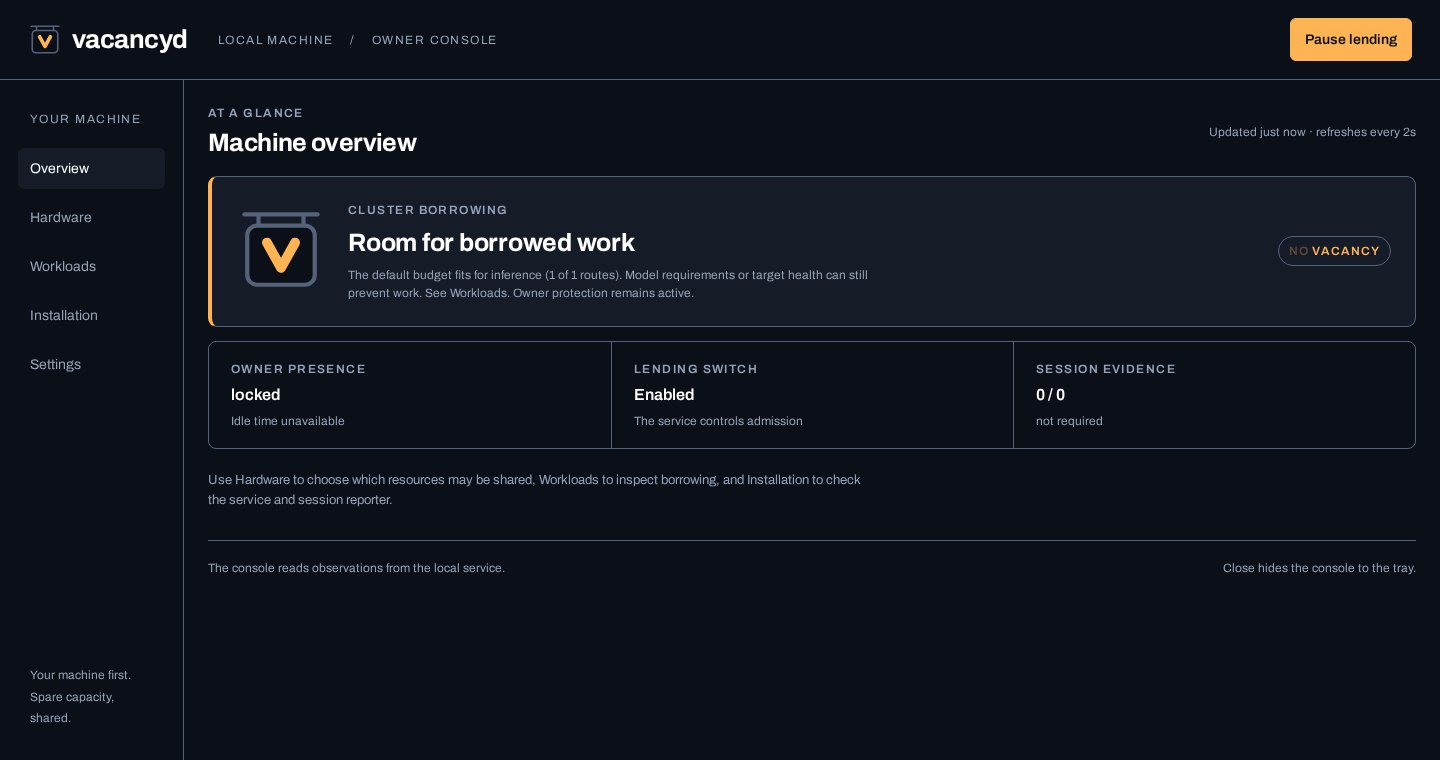
The owner console. Example data shown.
Built for the machine you already use
Your workstation may be one of the most powerful computers in your homelab. It's also where you work and play, with capacity sitting unused for a good chunk of the day.
Making it a cluster node or virtualization host can mean getting your desktop back through a thin client or GPU passthrough. Vacancyd gives you a hybrid option: keep your operating system and everyday apps, while other homelab applications borrow spare capacity through local AI services. You choose what they can borrow and when.
Use it with Ollama, llama.cpp, ComfyUI, Chatterbox or the documented routes of OpenAI-compatible servers. Vacancyd checks owner activity, available resources and the requested workload before letting borrowed work through. Your workstation doesn't have to join the cluster.
The sign says it all
VACANCY means there's room for a new temporary resident: a borrowed workload. NO VACANCY means the machine isn't accepting that work under the current rules. Try the two states below.
This example route can accept work while its owner is away and the resource checks pass.
Interactive illustration, not live telemetry. Work already admitted follows your configured cancel, drain or finish policy. Resource-scoped routes can have different owner-presence rules. A closed connection or an unload acknowledgement alone doesn't prove that computation stopped or memory was recovered.
Control that stays close
On Windows, the session agent reports desktop presence to the service. On Linux, systemd-logind supplies the default presence check. Dedicated machines can use headless policy.
Meet the session agentMeasured model footprints and CPU, memory and GPU checks decide whether a configured route has room. Unknown or stale required readings withhold new work.
Illustrative resource view
Choose what can lend and when. A dedicated second GPU can keep lending while you're at the keyboard, subject to its resource checks. Set what happens to accepted work when permission changes: cancel, allow a bounded time to finish, or let it complete.
Read the admission rulesThe owner console
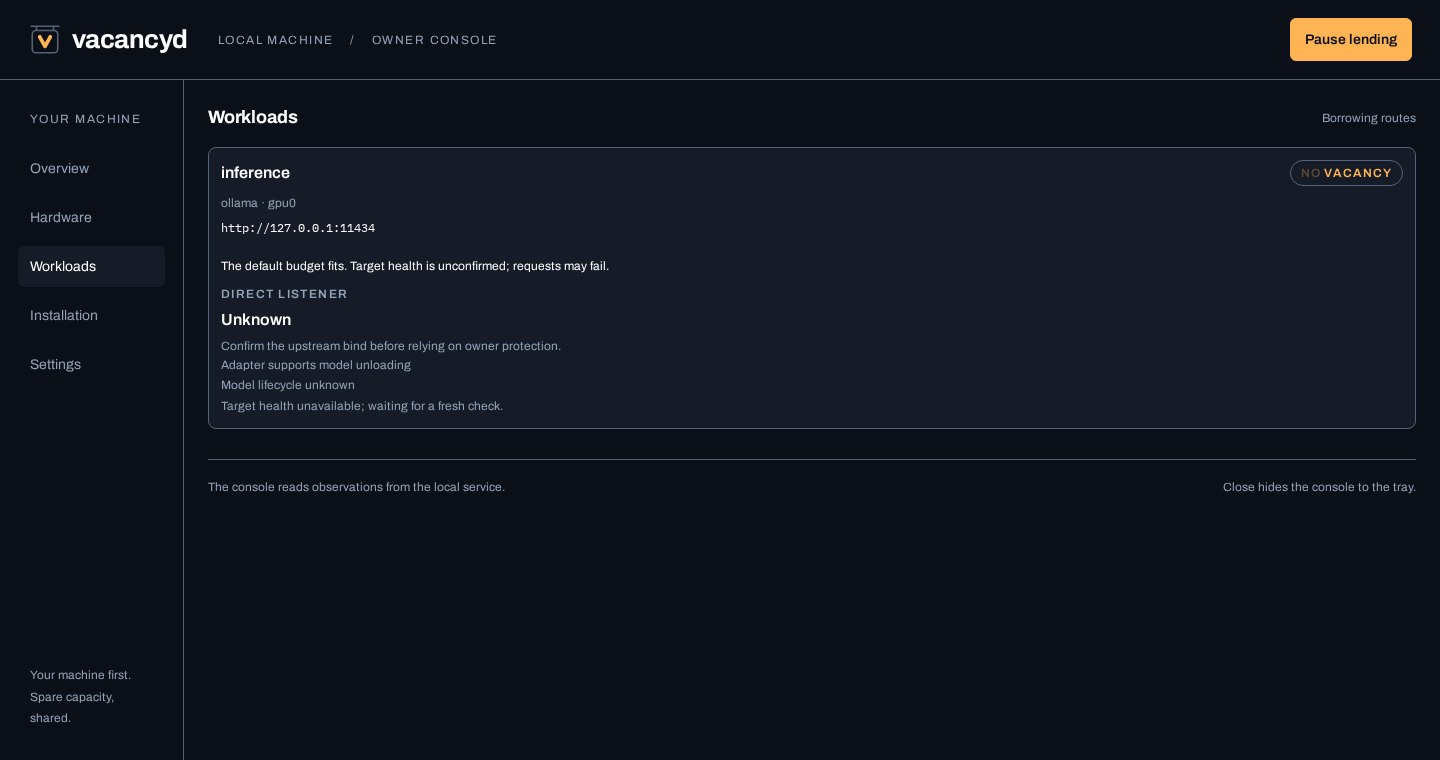
See what's lending, what's withholding and why. Inspect workload decisions, adjust supported settings and export diagnostics when you need a closer look. Prometheus metrics let your other tools observe availability; those tools still choose and route the work.
Choose your machine
A signed installer, background service and owner console, with a session agent that keeps desktop presence attached to the right user.
Windows guideA release archive and systemd service, with local administration and a logind presence backend for machines with a desktop.
Linux guideFor a dedicated host: the same Linux release binary, packaged as an unprivileged container. Configure headless policy when nobody sits at it.
Container guideCheck the platform support table before enabling lending. NVIDIA is the current GPU target. Windows has the fuller desktop-activity and attributed GPU-pressure checks. Linux ARM64 is preview. macOS isn't supported in version 1.0.

Vacancyd
The source is available now. Version 1.0 is being prepared for release.
Open source under Apache-2.0.
The daemon runs locally, without a
marketplace account, external control service or product telemetry.
Scoped tokens can restrict borrower access. Keep the underlying AI
services inaccessible to borrowers so they can't bypass the gate.